How to activate speed dial in a SPA425G2 IP PHONE CISCO.
How to activate speed dial in a SPA425G2 IP PHONE CISCO.
1 method

To enable Speed Dial in a CISCO SPA425G2 IP PHONE, lines must be disabled. They must be free.(Disabled)
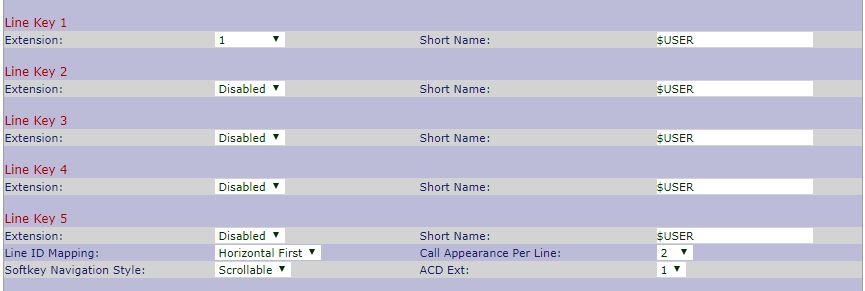
1) Now press the button that is not use by one line for 3 seconds
2) Add the name in Label (JN Yves)
3) Add the number in Number (102)
4) Press SET to confirm
5) Pass your Call
2 Méthodes
1) Enter the IP address of your IP PHONE. EX: 192.168.10.55
2) Once the interface appears on the screen, go to Admin Login
3) Click on SPEED DIAL

4) Add name and number called

Download the Mobile application:Hey, did you like my tutorial article? do not forget to follow me on Youtube by clicking on this link:Do not forget to follow me on my Haitian Geek Junior Facebook page by clicking here:Download the Mobile application:

HEY, learn how to make money online with(Youtube, facebook, Playstore plus your website). Download this app we explain everything. Clic here:

Commentaires
Enregistrer un commentaire